
 » PayNow
PayNow/Alipay/WeChat Promo (Valid till 31 October 2026)


If you need to take several modules, you save most by buying the plans for each of them in a single order. Enjoy up to US$250 cash savings when you pay by PayNow, Alipay or WeChat!
Each plan has its own access period, starting to count down only when you activate it.
Number of plans in a single order:
1 plan: $5 off
2 plans: $15 off
3 plans: $40 off
4 plans: $70 off
5 plans: $100 off
6 plans: $150 off
7 plans: $200 off
8 plans: $250 off
Extension or Upgrade: $2 off
Method 1: Scanning the QR Code using your Phone Camera
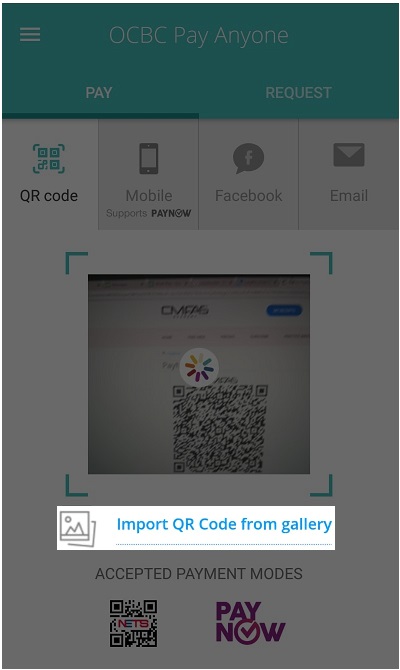
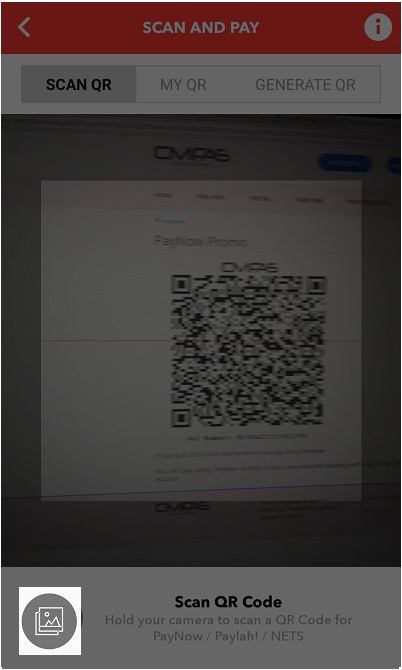
1: Launch your banking (or WeChat/Alipay) app and trigger the QR Code scanning feature (see examples below)
2: Point and Scan the QR Code
3: Pay and complete the transaction
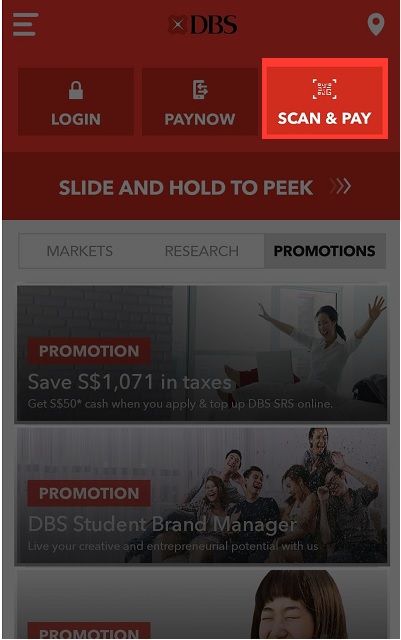
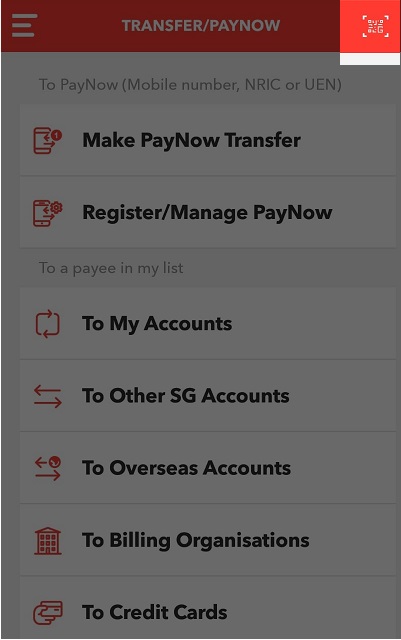
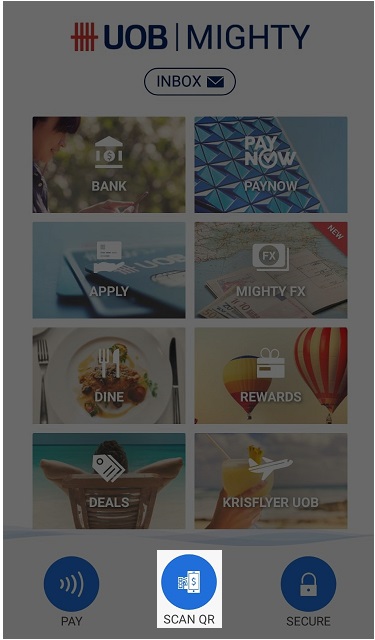
Method 2: Manual Entry (Only for PayNow)
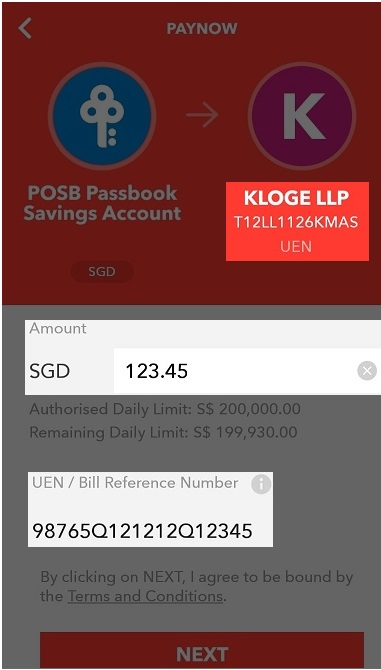
1: Launch your banking app/website and choose to make a PayNow Transfer
2: Pay via Unique Entity Number (UEN), and enter: T12LL1126KMAS
3: Enter the Reference Number and converted Amountin SGD shown on the QR Code
Note that some bank's app (e.g. DBS digibank) may erroneously prompt invalid UEN even if you enter it correctly.
Method 3: Use QR Code by saving and importing it
1: Long press on the QR Code above to save it
2: Launch your banking app and use the QR Code feature as shown in Method 1 above
3: Click on the icon that represents importing QR Code from gallery (see examples below)
4: Choose the saved QR code image. Pay and complete the transaction
Note that some bank's app (e.g. UOB Mighty) does not support importing saved QR images from gallery.
Commonly Asked Questions
Q: How soon will I get access to the content after I pay by PayNow?
A: You will receive a confirmation e-mail anytime within 1 to 10 mins after your PayNow transfer is successful.
Q: I have not received anything after paying. What should I do?
A: If you do not receive any email (check spam/junk folder) and your plans have not appeared on Dashboard page fter 10 mins, please send us your proof of payment via email or WhatsApp.